
CONNECTOME Technical Notes: Bridging Unity and Metal
CONNECTOME is an experiment. An artful experiment.
Experiencing CONNECTOME on the Apple Vision Pro with eye-tracking fulfills my original vision for this concept, asking the question “What if there were objects hidden and floating in front of you, and you could just scan the space to reveal them?”
I didn’t anticipate having to build my own custom bridge to enable eye-based hover states, but it felt like something I had to do if I was going to ship on this device.
It was worth it.
This page presents some of the design goals and technical work behind making CONNECTOME feel at home on visionOS.
“What if there were objects hidden and floating in front of you, and you could just scan the space to reveal them?”
The Foundation & the Challenge: Shapes
CONNECTOME’s minimalist visual language is built using Shapes, a real-time vector drawing library for Unity by Freya Holmer. Shapes is the foundation of CONNECTOME, and it’s what makes the geometries feel precise, deliberate, and mathematically grounded.
Shapes also posed the first significant challenge in bringing CONNECTOME to Apple Vision Pro. Unity’s default visionOS path is PolySpatial, which renders through RealityKit and requires all shaders to be Render-Graph compliant. Shapes is not — its renderer uses custom shaders that RealityKit can’t accept.
After some digging, I learned that Shapes does work when the Unity app mode is set to Metal Rendering with Compositor Services, my first breakthrough moment of discovery! In this mode, the app renders directly with Metal instead of going through RealityKit.
But, choosing Metal opened one door and closed another: in Metal mode, Unity doesn’t provide eye-based hover effects — the interaction that defines how Vision Pro feels to use.
Unity + Metal: Custom Bridge for Eye-based Hover
Eye-based interaction is probably the most defining characteristic of the Apple Vision Pro device experience. Seeing objects respond visually just by looking at them is not only one of those initial wow moments — it’s also a critical feedback mechanism that guides interactivity on the device.
Critically, when building a Metal app from Unity, eye-based hover visual feedback was not possible. Apple introduced the underlying API for Metal developers at WWDC 2025 — trackingAreasFormat and cp_drawable_add_tracking_area, alongside the per-frame stereo texture that drives system hover — but Unity has not implemented support for it. Unity has acknowledged the gap on their developer forum and confirmed no integration is planned.
CONNECTOME addresses this UX gap with a custom bridge. The bridge hooks into Unity’s compositor at the native level, registers tracking-area identifiers each frame, and writes the texture visionOS reads to render the OS hover effect. The result: when you look at a hidden geometry, the system reveals it — exactly the way Vision Pro users expect their eyes to work.
The integration also has to survive Unity itself. Unity regenerates its visionOS Xcode project on every build, so a manual patch would be wiped each time. CONNECTOME includes a post-build patcher that runs automatically after every export — it modifies Unity’s generated compositor configuration and native bridge files to enable trackingAreasFormat, install the hover hooks, and wire up the per-frame tracking-area calls. The bridge is a maintained part of the build pipeline that re-applies cleanly with every Unity export.


Unity + SwiftUI: Surroundings and System Overlays
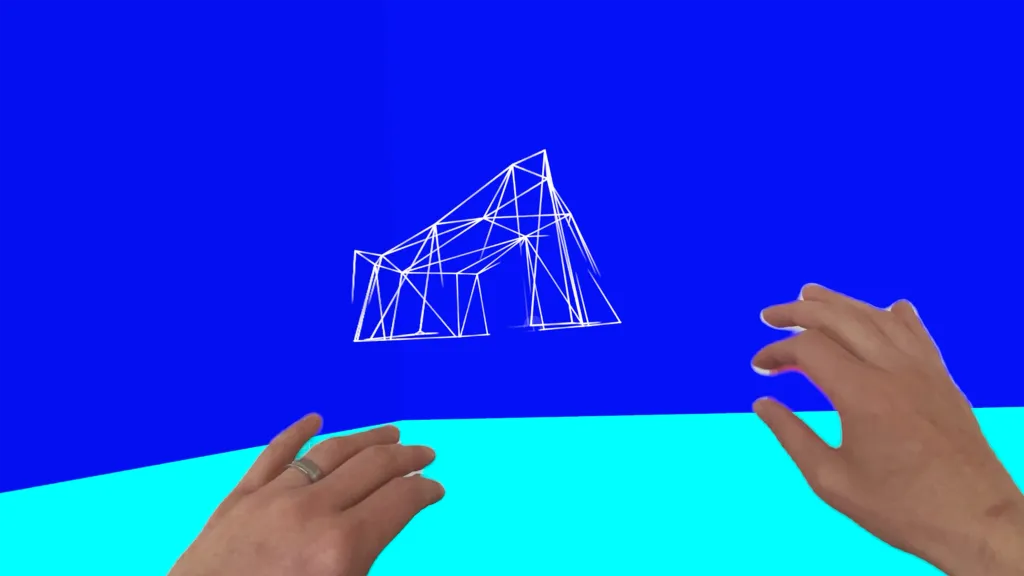
Each room in CONNECTOME is anchored by a single hue. To carry that hue beyond the geometries and into the space itself, I built a second bridge, one that lets Unity scene code drive SwiftUI system APIs that aren’t currently exposed by Unity.
The preferredSurroundingsEffect applies an effect to passthrough video. In CONNECTOME, this effect is used to color wash hands based on each room’s primary color. The video at the right demonstrates this effect across a number of rooms.
Additionally, I take advantage of persistentSystemOverlays to hide overlays like the Home indicator, where visionOS allows it.
Both APIs are SwiftUI-native and weren’t exposed to Unity. The bridge uses a singleton C# runtime API, a small native plugin, and a post-build patcher that wraps Unity’s generated CompositorLayer scene with the appropriate SwiftUI modifiers.
This approach allowed me to integrate these system-level calls alongside my existing room-loading logic.
Color-washing hands

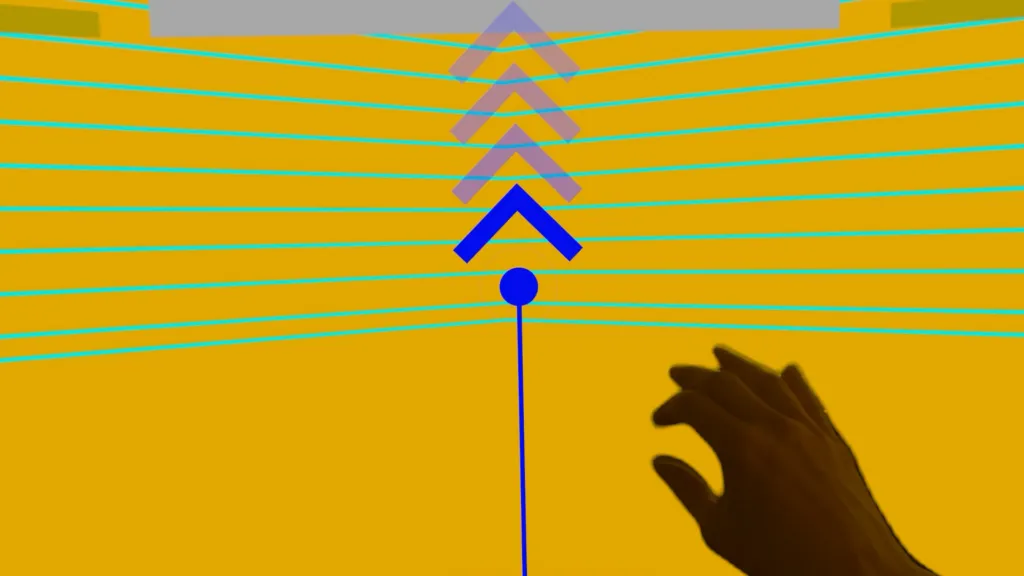

CONNECTOME is an invitation to slow down and rediscover the “joy of discovery”. An immersive art experience for AVP, players move through a series of beautiful, minimalist rooms, each anchored by a single bold hue, an evolving ambient score, and geometries shaped by mathematical ratios found in nature and architecture.
Built on two interactions, “pinch-to-reveal” and “drag-to-connect”, eye-tracking and gaze-based hover are used to reveal hidden geometries just by scanning the scene with your eyes. CONNECTOME isn’t a traditional “game”. Some rooms echo connect-the-dots, rewarding curiosity and insight, while others delight in the unexpected: a grid rising into a mountain, or a portal forming mid-air. The reward is the wonder of seeing something for the first time.